"You will do what I say / When I say / BACK TO THE FRONT "

OH YES!!!
A favorite song of mine from Metallica - Disposable Heroes
Although that song has nothing to do with this "Blog" or "Blog Post" it seemed fitting as was thinking of stuff to write.
Why? Well, that's a good question. It revolves around me trying to get back to doing certain things I enjoy - one of which is photography. I've neglected it over the years gone by. So much so that I've forgotten how to use equipment, use this website - the list really goes on.
Scott Kelby - and if you are familiar with Adobe Photoshop or Lightroom then you know his name, well he recently published a new book - Scott Kelby's Lightroom 7 Point System. In it he details his standard workflow that he uses to process many of his photos. The book has several exercises stressing repetition on this system.
My goal here is to do these exercises first using his default photos then on this blog posting photos of my own using the system to post process them.
These may be just bad photos that I want to see if the system can salvage. They may be old photos taken years ago that I want to revisit how this compares to what I did then when I didn't know much about Lightroom or Photoshop.
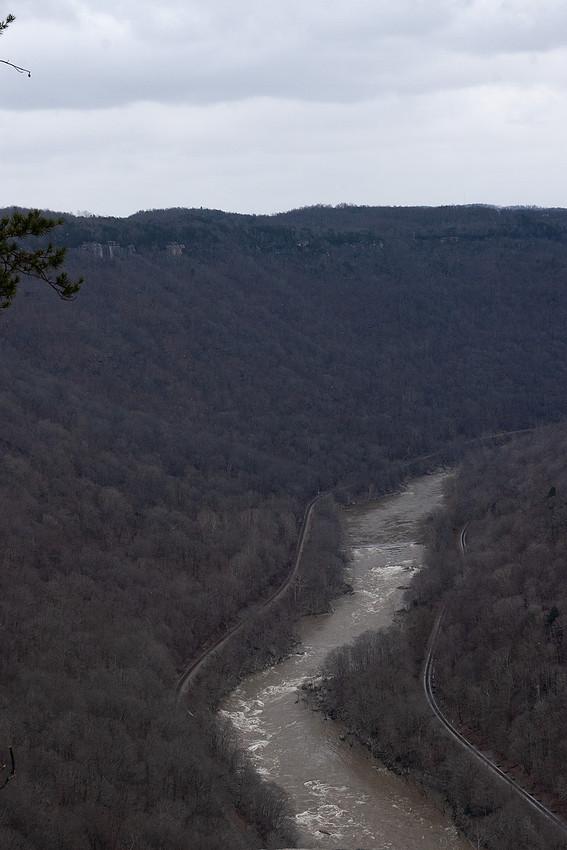 New River original raw fileThis was taken a couple years ago in late January f/11 1/250sec ISO 800 24-70mm Canon EOS 30D focal length 42mm
 This first photo was taken in 2019 along the Longpoint Trail in New River National Park around Fayettville.
If you hover over the picture you should be able to see all the original photo info like Shutter Speed, Aperture and all the other technical stuff.
Obviously the day was overcast and being in late January all the leaves are gone the New River is up and flowing brown.
Basically it's just a dreary picture and not all inspiring.
That being said and I don't know if you can tell here on the website but there is a bunch of detail in the photo and it's pretty sharp. That's amazing for me as I usually screw that up. lol
So what is Mr. Kelby's 7 point system. Mostly it's common sense if you really think about it.
- Choose the correct color profile in Lightroom.
- Get your colors right.
- expand and maximize the tones in the image
- Deal with your sensor issues and abilities
- do some retouching
- Similar to bullet 4 - deal with any lens issues
- Some finishing moves - add some sprinkles and such.
Maybe not in that order, maybe no need to do all those all the time he says. Yet in general those are issues that almost every photo has some sort of.
I think my photo has all of those issues and more.
When I originally took it - I simply rated it as a "pick" which for me means I'm not tossing it as I think its good but I probably just won't do anything with it.
Like I said I felt it was detailed and sharp. I don't like the pine tree in the upper left but I may practice removing that in Photoshop at some point but that's not what I'm trying to do here.
So how did it turn out you are probably asking. Well you are the beholder and you will have to be the judge. But I'll post the actual revisions and maybe a few comments here shortly below.
One thing - I'm not going to go into detail about what I actually did - you can pretty much buy the book and do the same yourself. Therefore there will not be any intermediary photos either. I don't know enough about what I'm doing to even pretend to know. So again buy the book and practice yourself.
Some photos I may not even comment at all - just plop a before and after photo up and take it from there. This exercise is more for me to hone my skills.
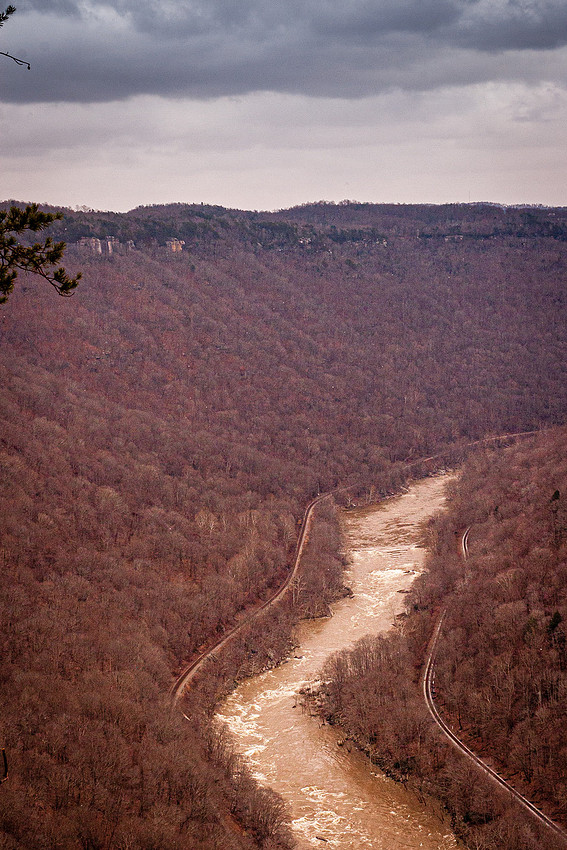 New and Improved ??
Right off the bat I feel it's an improvement. Brighter the browns of the woods are warmer but stand out The details are more defined in the river rapids and rail lines. The clouds I feel are more detailed and defined. However I also feel they are more magenta than grey - something is a bit off about them but I can't really put my finger on it. (well one thing I see a few sensor dust spots I don't remember seeing when I uploaded the file lol)
Anyway here they are side by side: